A Bible reader with the world behind it
Bible Atlas
Read Scripture with its maps, people, places and connections one tap away. Every highlighted name opens an interactive panel — a route drawn across the ancient world, a family line, a timeline, the other passages it touches — while the text you were reading stays right where it is.
What you get while you read
Interactive maps and journeys
Abraham's road out of Ur, Paul's missionary voyages, the Exodus — animated routes with distances, dates and the passage for every stop.
Open the mapsPeople and place profiles
Tap a name in the text for a short profile, family line and the places tied to it, without losing your spot in the chapter.
See the connections graphA full KJV concordance
Search any word and see every occurrence grouped by usage, with a breakdown of where it appears across the books.
Search the concordanceA timeline of Scripture
Place people and events beside one another and follow the story from the patriarchs to the early church.
Open the timelineDownload the whole King James Version to your device and keep reading, searching and highlighting with no connection.
See it in action
Bible text first, context second — swipe through the three steps of a single reading session.
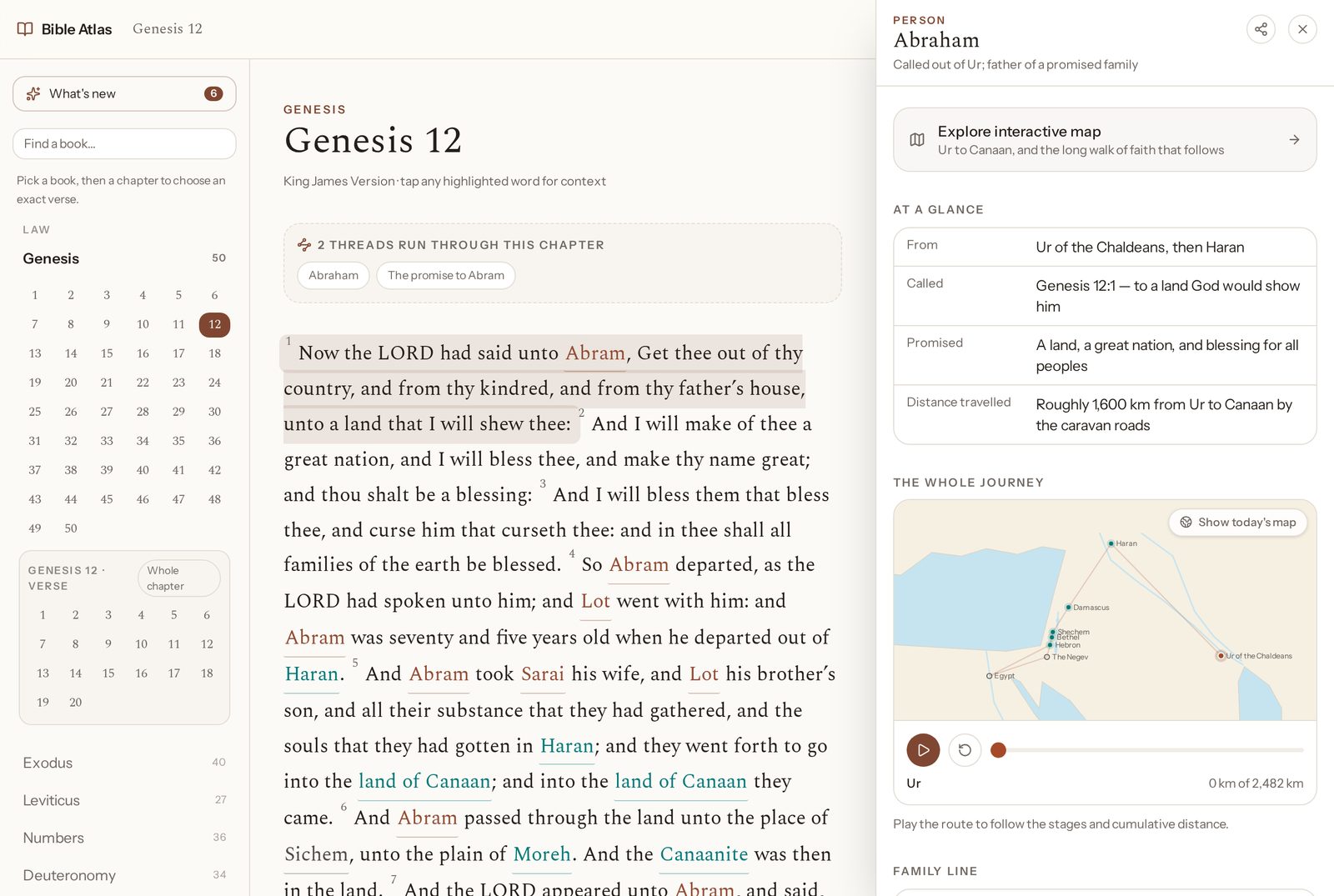
Step 1Read the chapter — Scripture stays in viewGenesis 12 with Abraham's context panel open. The chapter keeps reading while the map, facts and family line sit alongside it.Next: tap a highlighted name 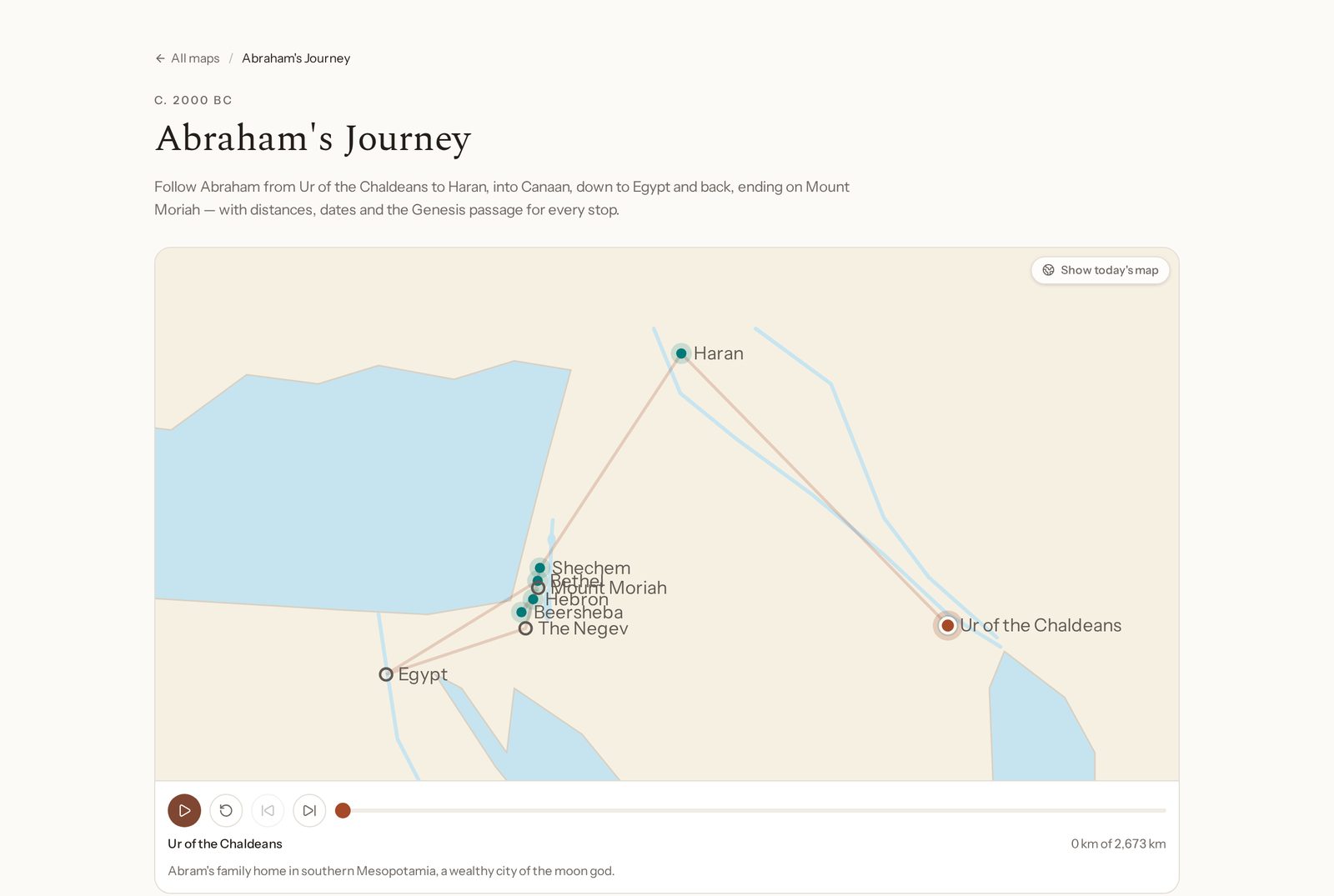
Step 2Tap a name — the map opens beside the textAbraham's journey animated stop by stop, with cumulative distance and the Genesis passage for each place.Next: follow the thread further 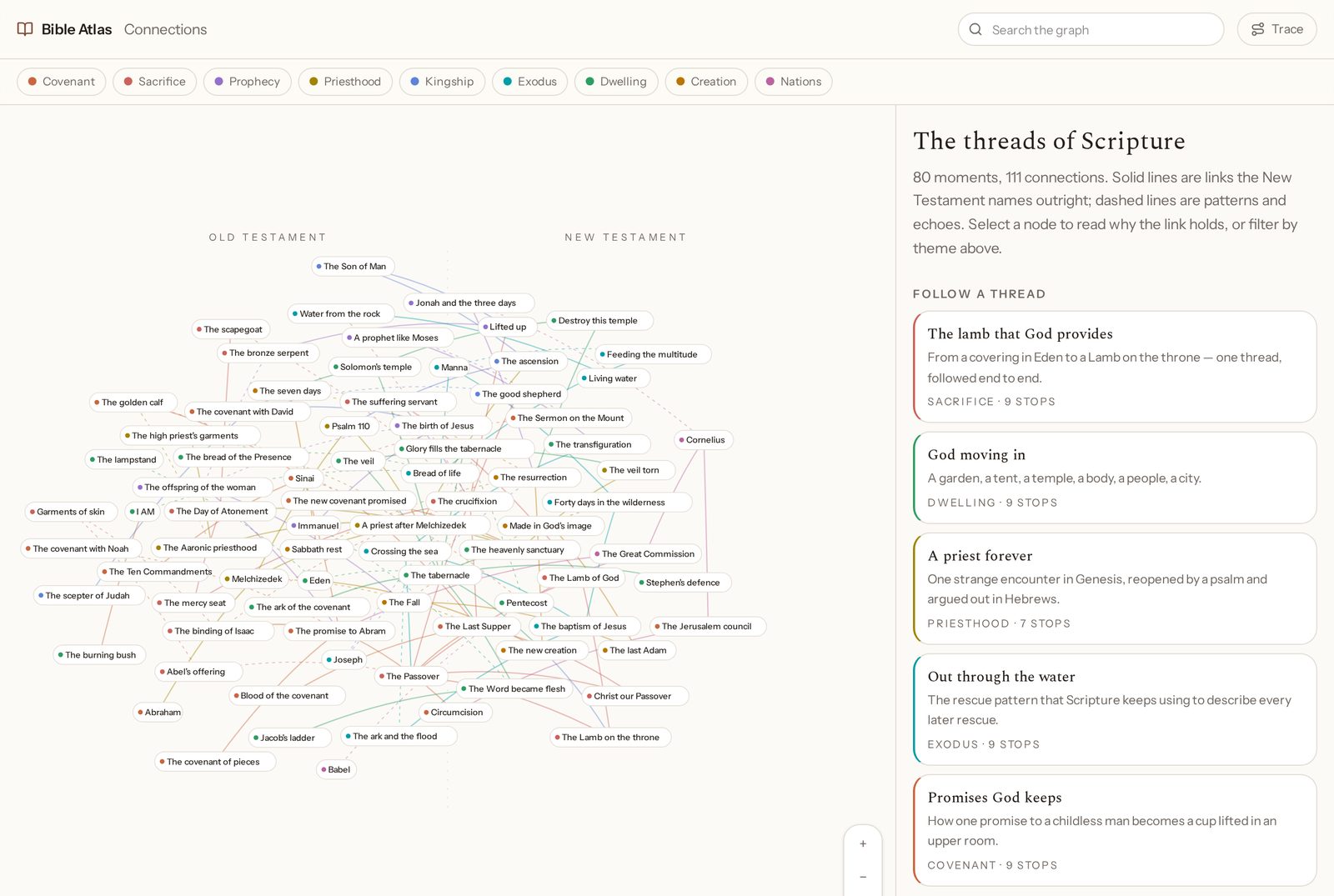
Step 3Follow it further — timelines and connectionsThe connections graph — 80 moments and 111 links between the Old and New Testaments, filtered by theme.Then: back to the verse you were reading
Start in Genesis
No account, no setup. Open chapter one and tap the first highlighted name you meet.
Frequently asked questions
What is Bible Atlas?
Bible Atlas is a free online Bible reader that keeps the context beside the text. As you read, names, places, journeys and themes are highlighted — tap one and a panel opens with an interactive map, a short profile, a family line, a timeline and the passages where it appears. The Scripture itself never leaves the screen.
Which Bible translations can I read?
The default is the King James Version. You can also switch to the World English Bible, American Standard Version, Young's Literal Translation, Darby, Bible in Basic English, Douay-Rheims and several non-English public-domain texts including Luther 1912, Segond 1910, Almeida, Statenvertaling, the Russian Synodal Bible, the Chinese Union Version and the Latin Vulgate.
Does Bible Atlas work offline?
Yes. You can download the complete King James Version to your device in a few megabytes and keep reading, searching and using highlights with no connection. Chapters you have already opened are also cached automatically.
Is Bible Atlas free?
Yes. Reading, maps, journeys, the concordance, offline download and verse sharing are all free, and there is no account required to start reading.
Where do the maps and place information come from?
Routes and places are drawn from the biblical text itself, with each stop tied to the passage that records it, plus widely accepted historical geography for locations and approximate distances. Every journey stop links straight back to the Scripture it comes from so you can check it as you go.
How does the concordance work?
The concordance indexes the full King James text, so searching a word returns every occurrence grouped by how it is used and where it appears — for example 'faith' in the Torah compared with Paul's letters — with a chart of occurrences by book and links back into the chapter you are reading.
Can I share a verse?
Yes. Any verse can be shared as a link that opens directly on that verse, with a branded preview card showing the reference and the verse text on WhatsApp, iMessage, X, Telegram, Facebook, LinkedIn and Discord.